
AJ Studio Desk
Bookings, payments and the front-desk till for your studio, in one place.
A complete photo studio operations workstation managing client appointments, payment slip check, retail merchandise, and front-desk POS balancing. Inspect the real operational UI captures and try the live click-through demo below.
Explore the Live Demo
Test booking intake, slip verification, bay pass generation, and the POS terminal live.
AJ Studio Desk — Live Workstation Gallery
Click through each stage below to inspect actual full-fidelity production screens
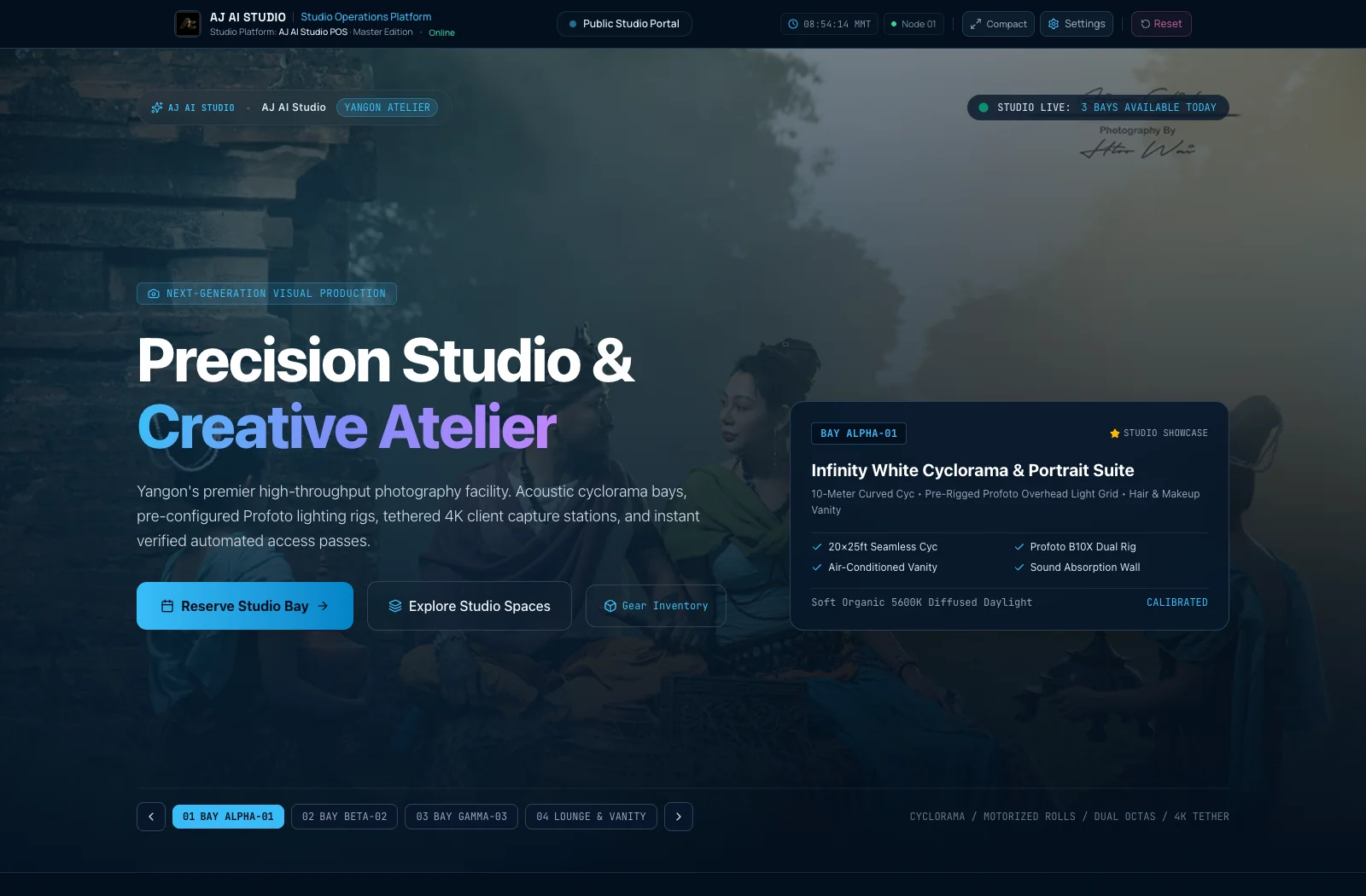
Studio Landing & Bay Showcase
Client landing portal with luxury atmosphere lighting and Bay Alpha-01 booking showcase.
AJ Studio Desk — How It Works
Experience the complete 7-step studio customer & front-desk journey in the demo
1. Booking Intake
Clients reserve studio bay and package, selecting convenient date and time slots.
2. Payment Deposit
Pay via KBZPay, WavePay, or AYA Pay and upload proof slip.
3. Slip Check
Each payment slip is checked against the booking, so the front desk confirms deposits in one tap.
4. Digital Bay Pass
Generates branded digital QR check-in pass once booking is verified.
5. Asset Vault
Self-service cloud delivery for customers to download their full-res photos and videos.
6. Equipment & Studio
Browse and manage studio equipment inventory, lighting gear, and backdrop setups.
7. Retail Storefront
Manage client merchandise: apparel, baby accessories, digital products, canvas prints, and film supplies.
Custom Domain
Deploy under your own domain (e.g. booking.mystudio.com) or as an AJ Studio Desk sub-domain.
Studio owners can manage Cash/Wallet balances through the POS Desk and monitor every booking from a single Admin Panel.
စတူဒီယို အလိုက် သင့်တော်သော စနစ်တပ်ဆင်မှုနှင့် လုပ်ငန်းစဉ်များကို တိုက်ရိုက် မေးမြန်းစုံစမ်းနိုင်ပါသည်။